Cache
PhotoSpectra caches thumbnails and photos locally so browsing is fast and works even when your server is offline. Go to Settings → Cache to manage it.
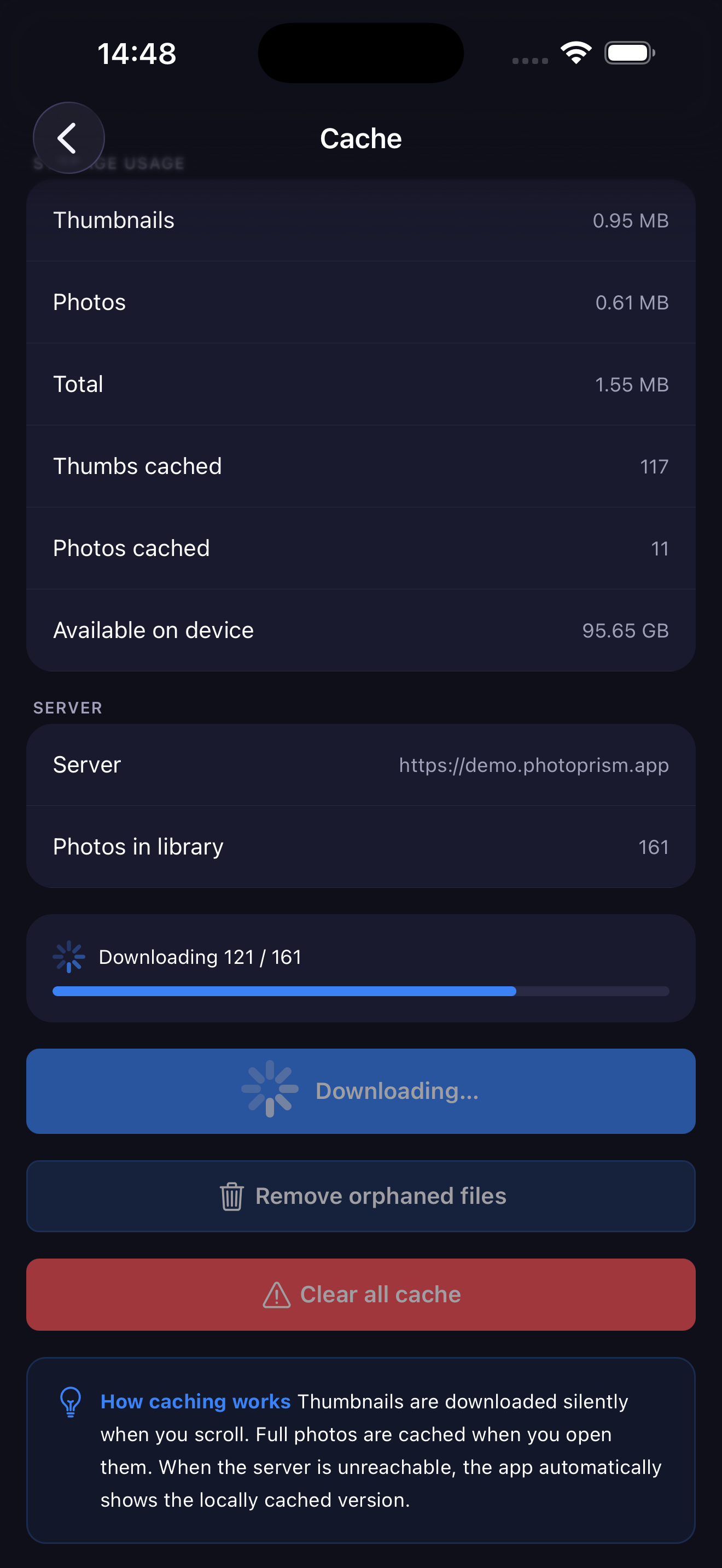
How Caching Works
- Thumbnails are downloaded automatically as you scroll through the Remote tab.
- Full photos (720p) are cached when you open them in the viewer.
- When the server is unreachable, the app shows the locally cached version instead of an error.
Storage Usage
The cache panel shows a breakdown of what's stored on your device:
| Stat | Description |
|---|---|
| Thumbnails | Space used by thumbnail images |
| Photos | Space used by full cached photos |
| Total | Combined cache size |
| Thumbs cached | Number of thumbnail files stored |
| Photos cached | Number of full photos stored |
| Available on device | Free storage remaining on your iPhone |
Actions
Download All
Downloads thumbnails and 720p versions of every photo in your library. Useful to make your full library available offline.
Remove Orphaned Files
Scans the cache and removes files for photos that no longer exist on your server (e.g. deleted on PhotoPrism). This frees up space without affecting photos still in your library.
Clear All Cache
Deletes all cached thumbnails and photos for the current server.
warning
After clearing, all images will need to be re-downloaded from the server as you browse. Only use this if you need to free up storage urgently.