Automatic Sync
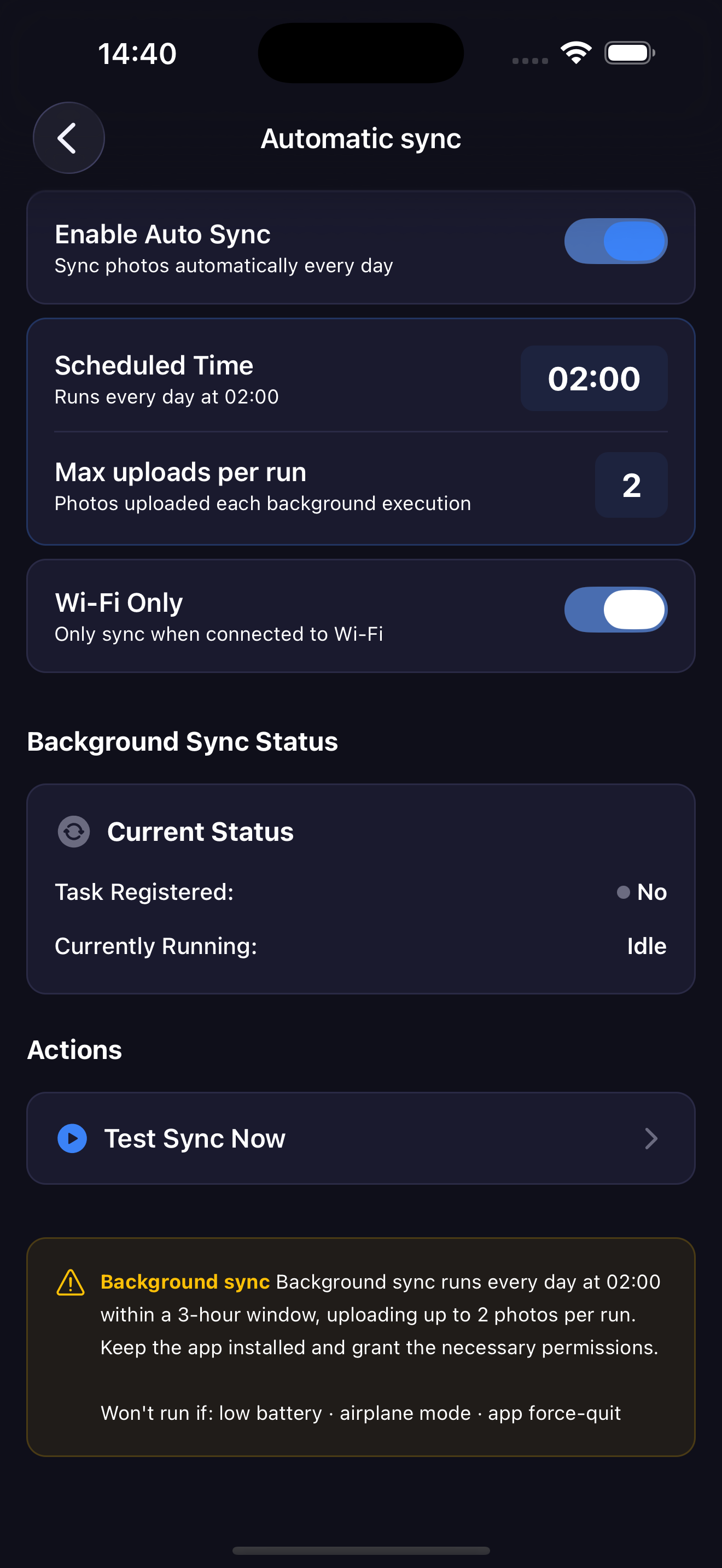
Background sync uploads your new photos automatically.
Go to Settings → Automatic Sync to configure it.
Enable Auto Sync
Toggle Enable Auto Sync on. PhotoSpectra registers a background task that runs daily.
When enabled, two more options appear:
Scheduled Time
The sync runs every day at 02:00, within a 3-hour window. The exact time depends on the OS scheduler and device conditions.
Max Uploads Per Run
The maximum number of photos uploaded in each background execution. This limits battery and data usage per run.
Wi-Fi Only
When enabled, the background sync only runs when connected to Wi-Fi. Recommended to avoid unexpected mobile data usage.
Limitations
warning
Background sync won't run if:
- Battery is low
- Device is in airplane mode
- The app has been force-quit from the app switcher